Garage Door Keypad Not Working? Causes and Fixes
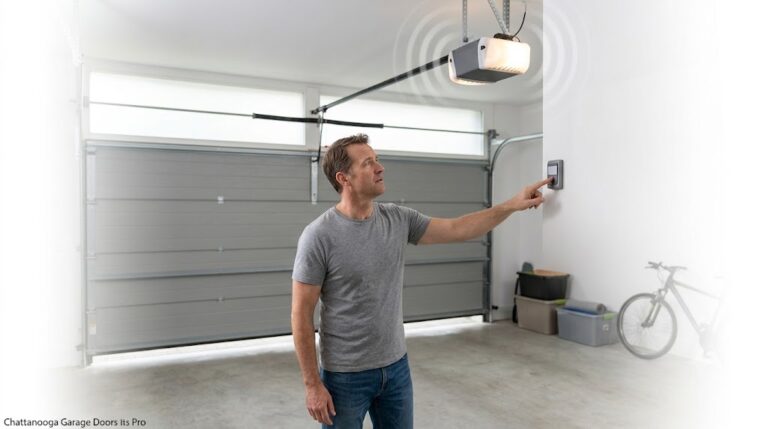
You’re standing outside, arms full of groceries, and you punch in your code. Nothing. No click, no light, no movement. You try again. Still nothing. A garage door keypad that isn’t working is one of the most frustrating home annoyances — and it always seems to happen at the worst possible moment. In Chattanooga and across the Tennessee Valley, this is one of the most common service calls we get. The good news is that the cause is almost always something simple: a dead battery, a lost code, a lock mode that got bumped, or years of sun and weather wearing down the keypad itself.
Unlike a handheld remote that lives in your car, a keypad is bolted to an exterior wall. It spends its entire life exposed to sun, rain, humidity, and temperature swings — conditions that age any piece of consumer electronics quickly. This guide will walk you through the most likely causes, show you exactly how to test and fix each one, and explain when it’s time to call a professional. If your keypad is unresponsive while your handheld remote still works, the problem is almost certainly at the keypad end — not the opener. If both the keypad and the remote fail to operate the door, the issue is with the opener or its receiver, and our guide on garage door remote not working covers that scenario in detail.
First, Confirm the Opener Itself Is Working
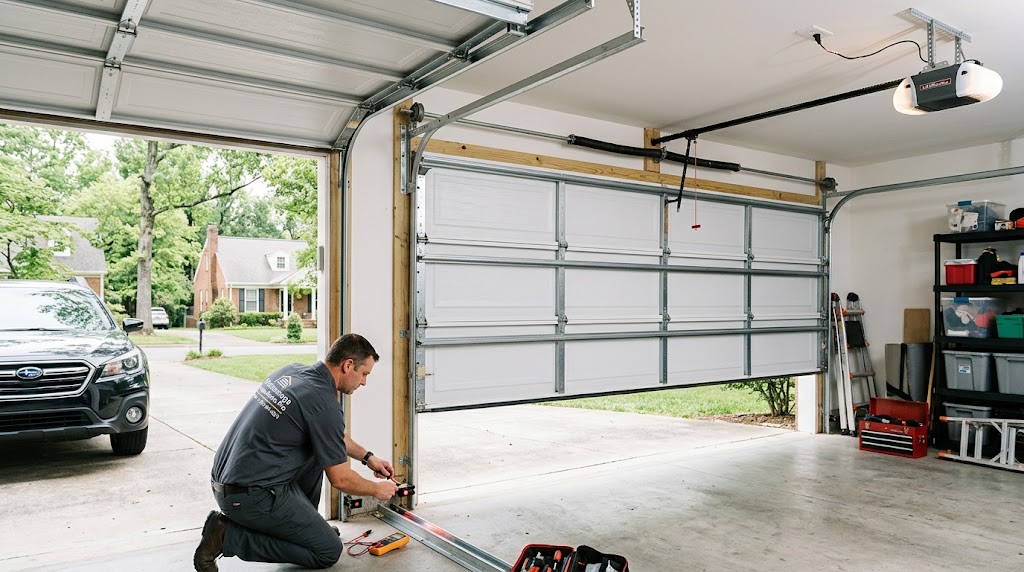
Before you assume the keypad is the problem, verify that the garage door opener is functioning. Stand in the garage and press your handheld remote. If the door runs, the opener and its radio receiver are fine — the fault is in the keypad or its pairing. If the remote also does nothing, and the wall button inside still works, the opener’s receiver or logic board is the problem. That’s an opener repair, not a keypad job, and you’re likely looking at a call to a technician. Our guide on when to call a garage door technician can help you decide your next step.
Cause 1: Dead or Weak Battery (The Most Common Culprit)
A dead battery causes the majority of garage door keypad failures. Exterior keypads run on a 9-volt block or, on newer slimline units, a pair of CR2032 coin cells. In a climate like Chattanooga’s, they typically last around 18 months, and they die faster than the spec sheet suggests because cold weather drops the usable voltage before the chemistry is actually spent. A keypad that worked fine in November and quit in January often has a battery that’s only half used. The first sign of a dying battery is reduced range — the keypad only works when you’re right in front of it, then not at all. If the buttons don’t light up when you press them, or you have to push them extra hard, it’s almost certainly a battery issue.
How to fix: Slide the cover off — most LiftMaster and Chamberlain units have a hinged flip-up cover with the battery behind it; Genie keypads take a screwdriver at the base. Before the new battery goes in, look hard at the contacts. Green or white powder on the terminals is oxidation, and it’s the second most common cause of a dead keypad in humid climates. Scrape it back to bright metal with a fingernail file or a pencil eraser, wipe the housing dry, and fit the battery. A smear of dielectric grease on the terminals afterwards is worth doing — it’s the difference between a keypad that lasts two winters and one that lasts six. Press any key. If the keys light up now, the keypad is powered and you may need to reprogram it. If they still don’t light up, the circuit board may have failed.
Cause 2: Lost Programming After a Power Outage or Battery Change
If your keypad suddenly stopped working after a power outage, a storm, or a battery replacement, it has likely lost its programming. Garage door openers store the keypad’s code in memory, but electrical surges, power interruptions, or extended periods without power can wipe that memory. On openers made before approximately 2015, a voltage spike during power restoration can corrupt the memory chip’s pairing data. The wall button still works because it’s wired directly to the opener, but the wireless keypad has been “forgotten.”
How to fix: You’ll need to reprogram the keypad using the “Learn” button on the opener. The Learn button is usually a small colored button on the back or side of the motor unit. Press and release it, then within 30 seconds enter your desired PIN on the keypad. The opener’s light or a LED will blink or click to confirm the pairing. The exact procedure varies by brand — LiftMaster, Chamberlain, Genie, and Craftsman all have slightly different methods. For a step-by-step walkthrough of the reset process, our guide on garage door troubleshooting covers the common procedures. If you’ve recently changed the battery and the keypad lights up but the door doesn’t move, reprogramming is almost always the next step.
Cause 3: Lock or Vacation Mode Is Enabled
Many garage door openers have a “Lock” or “Vacation” mode that disables all wireless devices — keypad included — while leaving the wall button functional. This feature is designed for security, but it’s easy to activate accidentally. A shoulder, a broom handle, or a curious child can bump the lock button on the wall control. Signs that Lock Mode is active include the opener lights flashing twice when you press a keypad button, or a command LED on the wall control flashing continuously.
How to fix: Locate the Lock button on your wall control — most modern wall consoles carry a Lock or Vacation function. Press and hold it for a couple of seconds until the indicator light stops flashing or becomes solid. Then test the keypad. If you’re locked outside the garage, you’ll need to enter through another door to access the wall control and disable Lock Mode. If the button isn’t labeled, consult your opener’s manual.
Cause 4: Dirty or Stuck Keys
Because keypads live outside, they collect dirt, pollen, spider webs, and grime. When too much buildup gets behind the buttons, they can stick or fail to make proper contact with the circuit board. If you live on a gravel road or near a construction site, debris can get lodged under the keys, causing them to stick and send the wrong signal to the opener. This is one of the simplest problems to fix.
How to fix: Open the keypad’s cover and clean the buttons and housing with a dry cloth or a cotton swab dampened with rubbing alcohol. Avoid using abrasive cleaners or excessive moisture, as it could lead to corrosion of the internal wiring. Dry rag-based cleaning is best. If the buttons still feel sticky after cleaning, the keypad face may need replacement.
Cause 5: Signal Interference from Other Devices
Garage door keypads operate on radio frequencies — typically between 300 and 433 MHz, depending on the brand. Other devices that operate on or near those frequencies can scramble the signal or dramatically reduce the keypad’s range. Common culprits include LED and CFL light bulbs, WiFi routers, baby monitors, security systems, wireless cameras, and smart doorbells. A surprisingly frequent offender is a new LED bulb installed in the opener’s own light socket or in a nearby fixture. Metal siding, foil-backed insulation, or structural supports can also interfere with the wireless signal.
How to test: If your keypad only works when you’re very close to the door, interference is likely the cause. Try turning off nearby LED bulbs and testing the keypad again. If the range improves, you’ve found the problem. The fix is simple: replace the interfering bulb with a shielded LED designed for garage door openers, or move the offending device away from the opener. If the keypad struggles at the same time as your remote, it confirms a radio noise issue rather than a keypad fault.
Cause 6: Weather Damage and Physical Wear
An exterior keypad spends its entire life in weather that would age any piece of consumer electronics quickly. In Chattanooga’s humid climate, sun and rain can crack the plastic housing, allow water inside, and corrode the circuit board. A keypad that only works from two feet away has water in the housing or a corroded antenna contact. Even without visible damage, the tiny push-button contacts inside the keypad can wear out over years of use. If you’ve replaced the battery, reprogrammed the keypad, and confirmed there’s no interference, but it still doesn’t work, the keypad itself may simply be at the end of its life. Most keypads last 8–10 years in an exterior environment. Replacement keypads are typically $45–$90 and are brand-specific — LiftMaster/Chamberlain, Genie, and Overhead Door units do not interchange. For a deeper look at how weather affects your entire garage door system, our guide on how weather affects garage doors in Tennessee explains seasonal issues in detail.
Quick Diagnosis: What to Check First
Follow these steps in order to narrow down the cause:
- Test the handheld remote. If the remote works, the opener and its receiver are fine. The fault is in the keypad or its pairing. If the remote also fails, the issue is with the opener.
- Press any key and watch for a backlight. Light means the battery has something in it and the keypad’s electronics are alive. No light at all means start with the battery.
- Replace the battery. Use a fresh 9-volt or the correct battery for your model. Clean the contacts while you’re in there.
- Check for Lock Mode. Look for a lock button on the wall control and disable it if active.
- Reprogram the keypad. Press the Learn button on the opener and then enter a new PIN on the keypad within 30 seconds.
- Clean the buttons. Use a dry cloth or a cotton swab with rubbing alcohol to remove dirt and grime from the keys.
- Test for interference. Turn off nearby LED bulbs or unplug suspected devices and test the keypad from a distance.
These checks will resolve the vast majority of keypad issues. If you’ve tried all of them and the keypad still doesn’t work, the problem may be in the opener’s receiver or logic board — and that’s a job for a technician.
When to Call a Professional
Keypad troubleshooting is almost always a DIY-friendly task. But if you’ve replaced the battery, reprogrammed the keypad, checked for Lock Mode, eliminated interference, and cleaned the buttons — and the keypad still won’t work — the issue may be with the opener’s receiver or logic board. These are electronic components that require a multimeter and a working knowledge of low-voltage circuitry to diagnose. This is also a good time to consider whether your opener is due for an upgrade. If your opener is more than 10–12 years old and you’re experiencing multiple electronic issues, a modern smart garage door opener may be the more economical choice. Smart openers offer rolling code technology, which improves security by generating a new code with every use, and mobile app control that lets you operate the door from anywhere. If you’re concerned about the cost of a new opener, our guide to garage door installation cost in Chattanooga TN can help you budget.
A licensed technician will do more than just fix the immediate symptom. They’ll check the opener’s receiver, test the keypad’s signal strength, and verify that the door’s safety systems are functioning correctly. If you’re wondering how to find a reliable pro, our guide on how to choose the best garage door company in Chattanooga walks you through the questions to ask and the red flags to avoid.
Prevention: Keep Your Keypad Working
A few simple habits will keep your keypad operating reliably for years:
- Replace the battery every 12–18 months. Don’t wait for it to die — a fresh battery prevents the frustration of a keypad that fails at the worst time.
- Clean the keypad regularly. Wipe the buttons and housing with a dry cloth every few months to prevent dirt and grime buildup.
- Check the battery contacts annually. Look for oxidation and clean it with a pencil eraser before it causes a failure.
- Use dielectric grease on the terminals. A small smear after each battery change protects against corrosion.
- Schedule a professional tune-up every 12–18 months. A technician can check the opener’s receiver, test the keypad’s signal strength, and verify that the door’s safety systems are functioning. Our seasonal garage door maintenance guide for Chattanooga homes explains what to check each season.
Frequently Asked Questions
1. Why did my garage door keypad suddenly stop working?
The most common causes are a dead battery, lost programming after a power outage or battery change, Lock Mode being accidentally activated, dirty or stuck keys, or signal interference from an LED bulb or other electronic device. Start by replacing the battery and testing the handheld remote to confirm the opener works.
2. How do I know if my keypad just needs a new battery?
If the keys don’t light up when pressed, or if you have to push them extra hard to get a response, the battery is weak or dead. A fresh 9-volt or the correct battery for your model usually solves the problem immediately. Clean the battery contacts while you’re in there.
3. My keypad stopped working after a power outage. What do I do?
Power outages and surges can erase the keypad’s programming from the opener’s memory. You’ll need to reprogram the keypad using the Learn button on the opener. Press Learn, then enter your PIN on the keypad within 30 seconds. Consult your manual for the exact procedure.
4. Can LED lights really interfere with my garage door keypad?
Yes. Many LED bulbs emit radio frequencies that overlap with the 300–433 MHz range used by garage door keypads. If your keypad only works up close, try turning off nearby LED bulbs and testing again. Replacing the bulb with a shielded LED designed for garage openers usually fixes the problem.
5. Is it worth repairing a garage door keypad, or should I just buy a new one?
Replacement keypads are $45–$90 and are brand-specific. If you’ve replaced the battery, cleaned the buttons, and reprogrammed the keypad, and it still doesn’t work, buying a new one is usually the simplest solution. Universal keypads can be programmed to work with most major brands and are available online or from local dealers.
Still Not Working? We Can Help
If you’ve tried the fixes above and your keypad still won’t operate the door, the problem may be in the opener’s receiver or logic board. In Chattanooga, Hixson, East Ridge, and Ooltewah, our licensed technicians can diagnose the issue and restore your keypad’s operation — often in a single visit. We test the full system, replace failing components with factory-spec parts, and never leave a job until your door operates the way it should. Call now to schedule your repair.
Call (423) 564-8231