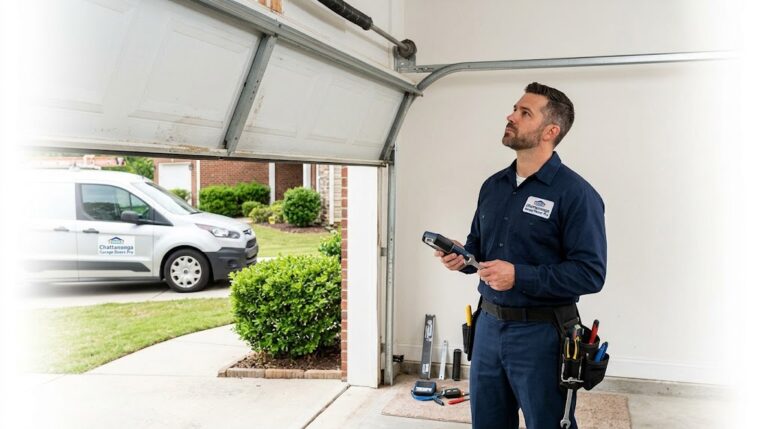
Garage Door Opener Light Blinking: What It Means and How to Fix It
You press the button, and instead of the familiar hum of the door moving, you notice something odd — the opener’s light is blinking in a strange pattern. Maybe it flashes a few times and pauses. Maybe it blinks continuously. Either way, it’s not random. A garage door opener light blinking is the opener’s built-in diagnostic system trying to tell you something. In Chattanooga and across the Tennessee Valley, this is one of the most common calls we get. The good news is that the blinking pattern is not random — it’s a code, and once you know how to read it, you can often identify the problem in seconds.
Modern garage door openers from LiftMaster, Chamberlain, Genie, Craftsman, and other major brands use the main light or a small LED near the Learn button to flash diagnostic codes. Each pattern corresponds to a specific fault — a sensor problem, a wiring issue, a travel module failure, or an obstruction. This guide will walk you through the most common blinking patterns, explain what each one means, and show you exactly how to troubleshoot and fix the underlying issue. If your door won’t open with the remote at all, that’s a separate issue — our guide on garage door won’t open with remote covers that symptom in detail.
What the Blinking Light Means
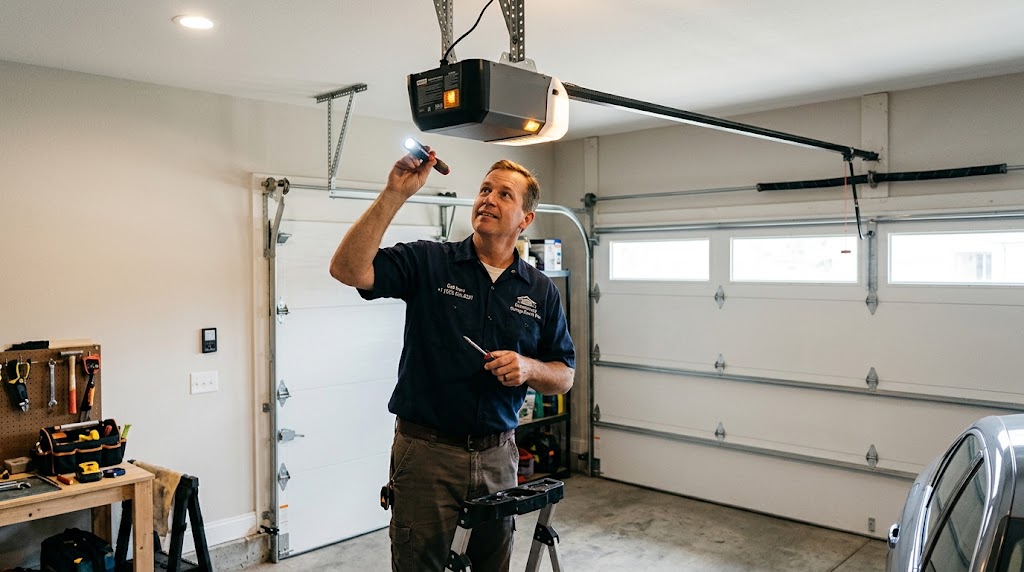
Your garage door opener is a surprisingly smart device. It monitors its own systems constantly — checking the safety sensors, the travel limits, the motor’s force settings, and the wiring — and when something goes wrong, it flashes a code on its light or on the diagnostic LED near the Learn button. The number of flashes, the color of the LED, and whether the pattern repeats all matter. On Chamberlain and LiftMaster models, the diagnostic LED near the Learn button flashes a repeating pattern — for example, 4 flashes, a pause, then 4 flashes again. On Genie models, the main light or the Safe-T-Beam LED may blink red to indicate a sensor malfunction. And on many openers, the main work lights flash 10 times when the safety sensors are obstructed or misaligned.
The specific code depends on the brand and model, but the categories of problems are universal: sensor issues, wiring faults, travel or limit problems, force settings, and logic board failures. Understanding which category your blinking pattern falls into is the first step toward a fix.
Common Blinking Codes by Brand
While the exact codes vary by manufacturer, here are the most common blinking patterns you’ll see across major brands:
- 10 Flashes (Chamberlain / LiftMaster / Craftsman): The safety reversing sensors are obstructed, misaligned, or not connected. The door will not close. Check the sensor LEDs — both should be solid.
- 2 Flashes (Chamberlain / LiftMaster): The LOCK button on the door control is ON. All wireless remotes and keypads are disabled. Press and hold the LOCK button to turn it off.
- 1 Flash, Pause, Repeat (Genie): Motor drive board interruption. Often caused by an improperly balanced door, a worn counterbalance spring, or binding hardware.
- Red Flashing Safe-T-Beam LED (Genie): A malfunction in the safety beam system. Check lenses for dirt, inspect for obstructions, and verify wiring.
- 1-1, 1-2, 1-3 Patterns (LiftMaster): Sensor wire faults — open wire, shorted wire, or reversed polarity. Inspect the sensor wiring end to end.
- 3-2 Pattern (LiftMaster): Travel module communication error. The travel module may need replacement.
- 4-1 to 4-4 Patterns (LiftMaster): Excessive force detected. The door is binding or the force setting is too high. Check for obstructions and test the door’s balance.
If you’re unsure what your specific blinking pattern means, consult your opener’s owner’s manual or the manufacturer’s support website. The code chart is usually printed on a sticker inside the opener’s light cover or in the manual’s troubleshooting section.
Cause 1: Safety Sensor Issues (Most Common — 10 Flashes)
The 10-flash pattern is by far the most common blinking code homeowners encounter, and it almost always points to a safety sensor problem. The safety reversing sensors are the small photo-eye units mounted about six inches above the floor on both sides of the door opening. One emits an infrared beam; the other receives it. When the beam is interrupted, the opener flashes its lights 10 times and refuses to close the door. The most common reasons the beam gets interrupted include misalignment, dirt or cobwebs on the lenses, loose wiring, and direct sunlight glare into the sensor lens.
How to fix: Look at the LED lights on both sensors. A solid light on each unit means they’re aligned and working. A blinking light — on either the sending or receiving unit — indicates a problem. Start by wiping the lenses with a soft, dry cloth. Then check that both sensors are pointed directly at each other and that their mounting brackets are secure. A bumped bracket or a loose wing nut is often all it takes to knock them out of alignment. If the lights are still blinking after cleaning and realigning, the issue may be a wiring fault or a failed sensor. Inspect the sensor wires for a short — a staple driven through the wire, incorrect wiring polarity, or a broken connection. This is one of the signs you need emergency garage door repair if the door cannot be secured. Our guide to garage door sensor issues covers this in more detail.
Cause 2: Lock Mode Activated (2 Flashes)
If your opener light flashes exactly twice when you press the remote or keypad, the LOCK button on your wall control is ON. This feature disables all wireless remotes and keypads while leaving the wall button functional. It’s designed for security when you’re away, but it’s easy to activate accidentally — a shoulder, a broom handle, or a curious child can bump the lock button. The door will still open from the wall control, but no remote will work.
How to fix: Locate the Lock button on your wall control. Press and hold it until the indicator light stops flashing or becomes solid. Then test the remote. If you’re locked outside the garage, you’ll need to enter through another door to access the wall control and disable Lock Mode. If the button isn’t labeled, consult your opener’s manual — the location varies by brand.
Cause 3: Wiring Faults (1-1, 1-2, 1-3 Patterns)
On LiftMaster and Chamberlain openers, a series of 1-1, 1-2, or 1-3 flashes points to a problem with the safety sensor wiring. The 1-1 pattern means the sensor wire is open, cut, or the sensors are not connected. The 1-2 pattern means the sensor wire is shorted or the black and white wires are reversed. The 1-3 pattern indicates a short in the door control or multi-function control panel wiring. These faults prevent the door from closing because the opener cannot verify that the safety beam is intact.
How to fix: Inspect the sensor wires along their entire run from the opener to the sensors. Look for staples driven through the wire, pinched spots, disconnected terminals, or reversed polarity at the sensor terminals. If the wiring looks intact, the issue may be a failed sensor. This type of diagnostic requires a multimeter to confirm continuity and polarity. If you’re not comfortable working with low-voltage wiring, this is a job for a technician.
Cause 4: Travel Module or Logic Board Failure (3-2 and 4-x Patterns)
A 3-2 flash pattern on a LiftMaster or Chamberlain opener indicates a travel module communication error. The travel module tells the opener where the door is — its fully open and fully closed positions. When it fails, the opener loses track of the door’s position and may stop mid-cycle, reverse unexpectedly, or refuse to close. The module may need replacement. A series of 4-1 to 4-4 flashes indicates excessive force detected — the door is binding somewhere, or the force setting is too high. This can happen when a roller is worn, a track is bent, or the door’s balance has shifted.
How to fix: Disconnect the opener using the emergency release cord and test the door’s balance manually. If the door is difficult to move or doesn’t stay in place when released halfway, the issue is mechanical — likely a spring, roller, or track problem. If the door moves freely, the travel module or logic board may be failing. Diagnosing and replacing these components requires a multimeter and a working knowledge of low-voltage electronics. If you’re not comfortable with this, call a technician.
Cause 5: Motor Drive Board Interruption (Genie 1-Blink Pattern)
On Genie screw-drive openers, a single blink followed by a pause and repeat indicates a motor drive board interruption. This is often caused by an improperly balanced door, a worn or damaged counterbalance spring, or binding door hardware and rollers. The opener’s motor detects resistance it wasn’t expecting and cuts out to protect itself. This is often a mechanical issue masquerading as an electronic one.
How to fix: Disconnect the opener and test the door manually. If the door is heavy, binds, or doesn’t stay in place when released halfway, the problem is mechanical. A worn spring, a bent track, or a failing roller could all cause the motor to stall. If the door moves freely by hand, the motor drive board itself may be failing. This is a job for a technician.
Quick Diagnosis: What to Check First
Follow these steps in order to narrow down the cause:
- Count the flashes. Watch the blinking pattern carefully. Count the number of flashes, note the pause, and see if the pattern repeats. This is your diagnostic code.
- Check the sensor LEDs. Look at the LED lights on both safety sensors. Solid lights mean they’re aligned. Blinking lights mean a problem. Clean the lenses and check alignment.
- Inspect the door’s path. Look for anything blocking the sensors or preventing the door from closing completely — toys, debris, ice, or a damaged bottom seal.
- Test the door’s balance. Disconnect the opener using the emergency release cord. Lift the door halfway and let go. If it slides down, the springs are weak or broken. If it stays in place, the springs are fine.
- Check the wiring. Inspect the sensor wires for staples, pinches, or disconnected terminals. If you have a multimeter, test for continuity.
- Look for Lock Mode. If the light flashes exactly twice, check the wall control for a Lock button and disable it.
These checks will give you a clear picture of whether you’re dealing with a simple sensor issue or a more serious mechanical or electronic failure. If you’re unsure at any point, stop and call a professional. Our guide on when to call a garage door technician can help you make that call.
When to Call a Professional
Some fixes — cleaning sensors, clearing obstructions, disabling Lock Mode — are safe for a confident DIYer. But the moment the problem involves wiring faults, travel modules, logic boards, or the internal electronics of the opener, it’s time to step back. These components require a multimeter and a working knowledge of low-voltage circuitry to diagnose. Torsion springs are under extreme tension, and a snapped cable can whip free with enough force to cause serious injury. If the door feels heavy, if you heard a loud bang, or if the door is visibly off its tracks, do not attempt a DIY repair. These are clear emergency garage door repair situations.
A licensed technician will do more than just fix the immediate symptom. They’ll check the door’s balance, inspect the bearings, test the opener’s force settings, and verify that the wiring is intact. This comprehensive approach ensures the repair addresses the root cause, not just the blinking code. If you’re wondering how to find a reliable pro, our guide on how to choose the best garage door company in Chattanooga walks you through the questions to ask and the red flags to avoid.
Prevention: Keep Your Opener Running Smoothly
Most diagnostic codes appear because of gradual wear or minor issues that were ignored. A little preventive maintenance goes a long way:
- Clean the sensor lenses regularly. A quick wipe with a dry cloth every few months prevents dirt and cobwebs from blocking the beam.
- Check the sensor alignment monthly. Make sure both LEDs are solid, not blinking.
- Inspect the sensor wiring. Look for staples, pinches, or loose connections that could cause a short.
- Lubricate moving parts twice a year. Use a silicone-based or white lithium grease on rollers, hinges, and the torsion shaft.
- Test the door’s balance annually. Disconnect the opener and lift the door halfway. If it doesn’t stay in place, call a technician to adjust the springs.
- Schedule a professional tune-up every 12–18 months. A technician can catch worn springs, misaligned tracks, and failing sensors before they trigger a diagnostic code. Our seasonal garage door maintenance guide for Chattanooga homes explains what to check each season.
Frequently Asked Questions
1. Why is my garage door opener light blinking 10 times?
The 10-flash pattern is the most common diagnostic code and almost always points to a safety sensor problem. The sensors are either misaligned, dirty, obstructed, or have a wiring fault. Check the sensor LEDs — both should be solid, not blinking. Clean the lenses and check alignment first.
2. Why does my opener light flash twice?
A two-flash pattern means the LOCK button on your wall control is ON. This disables all wireless remotes and keypads. Press and hold the LOCK button on the wall control until the indicator light stops flashing to disable it.
3. What does a blinking red LED on my Genie opener mean?
A red, flashing Safe-T-Beam LED on a Genie opener indicates a malfunction in the safety beam system. Check the lenses for dirt, inspect for obstructions, and verify the wiring. A single blink pattern may indicate a motor drive board interruption, often caused by an unbalanced door or worn spring.
4. How do I read the diagnostic codes on my LiftMaster opener?
On LiftMaster and Chamberlain openers, the LED near the Learn button flashes a repeating pattern. Count the number of flashes, note the pause, and count again. For example, 1 flash, pause, 1 flash = 1-1 code (sensor wire open). 3 flashes, pause, 2 flashes = 3-2 code (travel module error). The code chart is usually printed inside the light cover or in the owner’s manual.
5. Can I fix a blinking light issue myself?
Cleaning sensors, clearing obstructions, and disabling Lock Mode are safe DIY tasks. Wiring faults, travel module failures, and logic board issues require a multimeter and electronics experience. If you’re not comfortable working with low-voltage circuitry, call a professional.
Don’t Let a Blinking Light Leave You Guessing
A blinking opener light is your garage door system’s way of telling you exactly what’s wrong — if you know how to read the code. Whether it’s a simple sensor alignment issue, a wiring fault, or a failing travel module, the pattern points to the problem. In Chattanooga, Hixson, East Ridge, and Ooltewah, our licensed technicians can diagnose the code and restore your door’s reliable operation — often in a single visit. We test the full system, replace worn parts with factory-spec components, and never leave a job until the door operates the way it should. Call now to schedule your repair.
Call (423) 564-8231