WiFi Garage Door Opener Not Connecting? Fixes Explained
WiFi garage door opener not connecting is a common issue homeowners face, especially when they rely on smart home systems for daily convenience. Imagine coming home after work in Chattanooga, pressing your app, and the garage door simply refuses to respond. In that moment, the problem is not just technical—it becomes a safety and access concern for your home.
This issue can stop your entire routine. It may leave your car stuck outside during rain, or worse, prevent you from securing your garage properly at night. Most of the time, the cause is not a major hardware failure. It can be related to weak WiFi signals, incorrect setup, outdated firmware, or interference from other devices. If your opener is also making a humming sound without moving, the problem might extend beyond connectivity.
Common reasons include:
- Weak or unstable internet connection
- Incorrect WiFi password during setup
- Router compatibility issues (2.4GHz vs 5GHz)
- Signal blockage due to distance or walls
- Fault in garage door opener module
When this happens, homeowners in Tennessee often try random resets without understanding the real cause. The right approach is structured troubleshooting and, when needed, professional garage door opener repair support from experts like Chattanooga Garage Doors Pro.
Why is my WiFi garage door opener not connecting to the network?
A WiFi garage door opener not connecting usually points to a communication failure between the opener and your home router. In many Chattanooga homes, routers are placed inside living rooms or offices, while garages sit far away, reducing signal strength significantly.
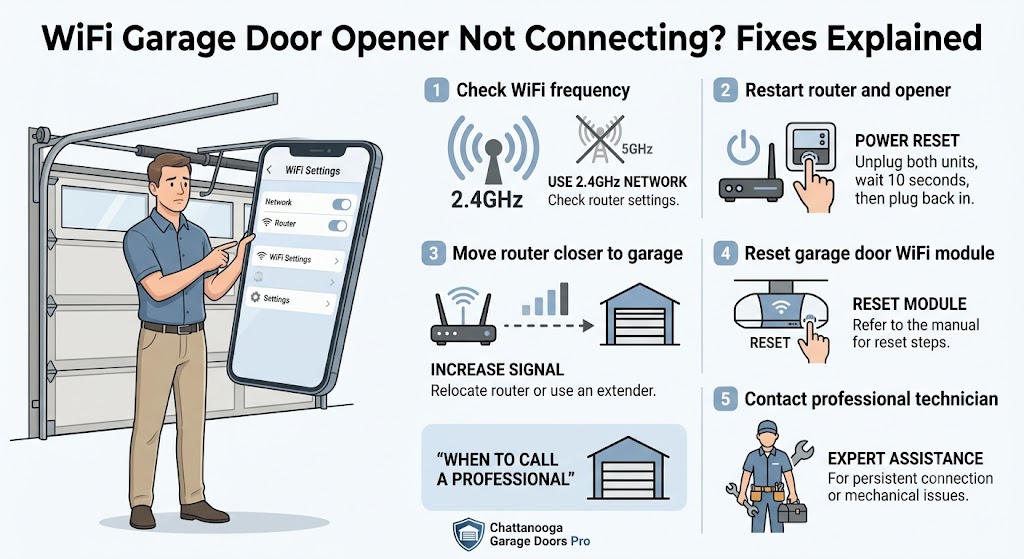
One common reason is router band mismatch. Most smart garage systems only work on 2.4GHz WiFi, but many homeowners accidentally connect to 5GHz, which leads to setup failure. Another issue is outdated firmware inside the garage door smart controller.
Practical troubleshooting steps:
- Restart your router and garage opener device
- Ensure you are connecting to 2.4GHz WiFi only
- Move the router closer temporarily for setup
- Reset the opener's WiFi module
- Check if the app requires updates
For homeowners struggling repeatedly, professional help from a trusted local provider like garage door repair services ensures proper configuration without risking system damage.
What causes WiFi garage door opener connection failures in Chattanooga homes?
A WiFi garage door opener not connecting is often influenced by environmental and technical conditions unique to the home. In Chattanooga TN, weather humidity, thick garage walls, and older home construction can weaken signal strength significantly.
Another overlooked cause is interference from other smart devices like security cameras or smart thermostats. These devices compete for bandwidth and reduce connectivity stability for your garage door opener system.
Key causes include:
- Weak router placement far from garage
- Network congestion in busy households
- Faulty WiFi module inside opener unit
- Power interruptions affecting system memory
Example troubleshooting approach:
- Disconnect other smart devices temporarily
- Test WiFi signal strength inside the garage
- Reconfigure opener using manufacturer app
- Inspect power supply stability
For deeper issues, technicians often recommend a full garage door maintenance service to ensure both mechanical and digital components are functioning together properly.
How can homeowners fix WiFi garage door opener not connecting issues at home?
Homeowners can solve many WiFi garage door opener not connecting issues without technical tools if they follow a step-by-step process. The key is to isolate whether the issue is network-related or device-related.
Start by resetting both the router and garage door opener. Then reconnect using the correct frequency band. Many modern systems require app-based setup, so ensure Bluetooth permissions are enabled during pairing.
Basic fix checklist:
- Restart router and device
- Reinstall the garage door app
- Clear old WiFi credentials from opener memory
- Ensure strong signal in garage area
Example from real homes: A homeowner in Chattanooga had repeated failures because the opener was trying to connect to 5GHz WiFi. After switching to 2.4GHz, the system worked instantly.
If problems continue, scheduling garage door opener repair is recommended to avoid long-term connectivity damage to the control board.
When should you call a professional for WiFi garage door opener issues?
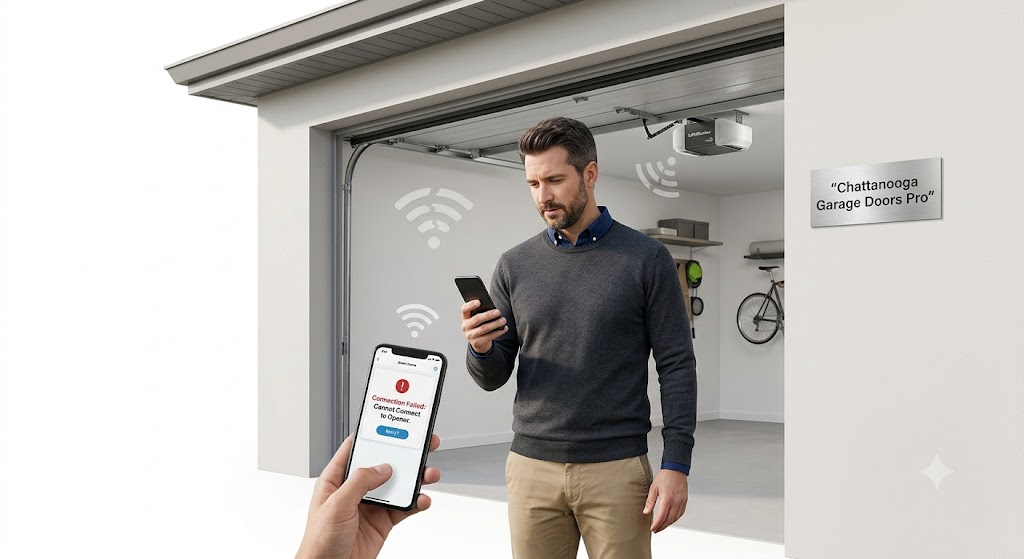
A WiFi garage door opener not connecting becomes a professional issue when basic resets do not work or when the system shows repeated failures. This often indicates deeper problems in the control board or internal WiFi module.
You should contact a technician if:
- The device does not appear in the app at all
- WiFi resets fail repeatedly
- Door responds inconsistently to commands
- Motor clicks but does not operate
Real example: A homeowner experienced a garage door opener clicking sound but no movement. The issue was not WiFi—it was a failing relay board inside the opener. A technician from garage door opener repair services replaced the part safely.
Professionals at Chattanooga Garage Doors Pro also check for hidden mechanical issues that can affect smart system performance, including track alignment and spring tension. A tune-up service can catch these issues early.
What real problems do homeowners face with smart garage door connectivity?
Smart garage systems are convenient, but they create frustration when they fail. A WiFi garage door opener not connecting can lead to security concerns, especially when homeowners cannot confirm whether the door is closed remotely.
Example 1: Storm-Related WiFi Failure
A family in Tennessee left for a trip and could not close their garage door due to WiFi failure during a storm. The issue was a router outage. The solution required manual closing and later system reconfiguration. A door that won't close during bad weather is a common related issue.
Example 2: App Sync Delay
A homeowner noticed the app showed the door closed, but it was actually open. This happened due to sync delay between server and opener. A reset fixed the communication lag.
Example 3: Weak Garage Signal
Another case involved frequent disconnections caused by a weak garage signal. Installing a WiFi extender solved the issue permanently. For broader smart opener issues, check our smart garage door openers guide.
Need Expert WiFi Garage Door Opener Help?
Professional Smart Opener Repair in Chattanooga TN
If your WiFi garage door opener not connecting issue continues, it is better to get it checked before it becomes a bigger safety concern. Professional diagnosis ensures the system works correctly without risking damage.
Call Now for fast assistance • Request a Free Quote for repair or setup help • Emergency Garage Door Repair available for urgent issues
Frequently Asked Questions
How much does garage door repair cost for WiFi issues?
Costs depend on whether the problem is software, wiring, or hardware. Minor setup fixes are lower, while control board repairs cost more.
Can I fix a garage door opener WiFi problem myself?
Yes, basic issues like router resets or app setup can be fixed at home. However, hardware faults require professional service.
Why does my garage door opener disconnect from WiFi frequently?
This usually happens due to weak signal, router overload, or outdated firmware in the opener system.
How long does it take to fix WiFi garage door issues?
Simple reconnection takes 20–40 minutes. Hardware repairs may take longer depending on parts availability.
When should I replace my garage door opener?
If the unit is older than 10–12 years or frequently fails even after repairs, replacement is more cost-effective. Explore garage door replacement options.
Conclusion
A WiFi garage door opener not connecting is usually caused by signal issues, incorrect setup, or internal device faults. Most homeowners can solve basic problems with simple resets, but recurring issues require professional inspection.
For Chattanooga TN homeowners, reliable garage door performance depends on both mechanical health and smart system stability. Regular maintenance, proper setup, and timely repairs prevent future failures and improve safety. Follow our garage door maintenance checklist and safety tips to keep your system in top shape.
Working with experienced technicians ensures your system stays secure, responsive, and reliable throughout the year. Trust Chattanooga Garage Doors Pro for all your garage door connectivity needs.